
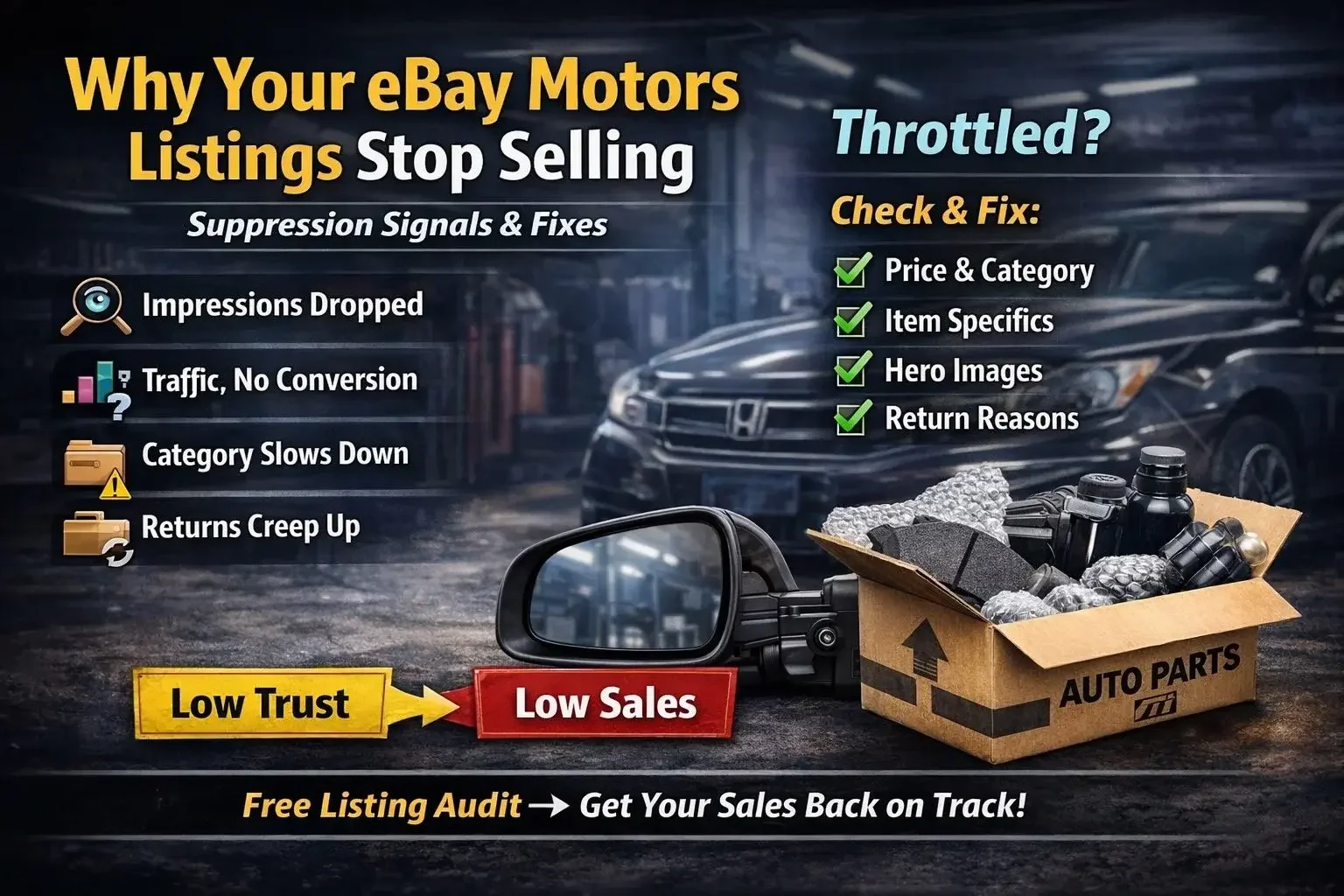
Suppression Signals & Fixes
Most sellers assume a sales drop means demand changed.
On eBay Motors, a sales drop often means something else: you got quietly throttled.
Not banned. Not removed. Just… shown less.
eBay rewards listings it can trust to deliver a clean buyer experience. When that trust slips-through defects, cancellations, late shipments, high “not as described” returns, or messy item specifics-visibility fades.
This post is a practical diagnostic: the most common suppression signals, what they mean, and what to fix first.
Signal #1: Impressions Drop Before Clicks Drop
If impressions decline first, it’s usually not your title. It’s usually a ranking/eligibility issue-or you’re simply no longer competitive enough to earn exposure.
Before you assume “demand is down,” check these common causes:
1.1 You’re no longer price-competitive (even by pennies)
On eBay, it doesn’t take a big difference. If a competitor undercuts you by $0.25 and has similar shipping speed and seller metrics, you can lose exposure fast.
Check: competitor price, shipping cost, and delivery promise (not just item price).
Fix: adjust price rules, shipping profiles, or offer strategy where it makes sense.
1.2 Your listing is in the wrong category (you’re invisible to the right buyer)
This happens more than people think-especially with catalog uploads. If your automotive mirror lands in a household mirror category, eBay shows it to the wrong audience (or barely shows it at all).
Check: category/leaf on the live listing and confirm it matches buyer intent.
Fix: correct category mapping and re-publish using the right leaf.
1.3 Your main image isn’t earning the click
Even with good ranking, your first image can kill CTR-and eBay will reduce impressions when CTR stays weak.
Check your hero image like a buyer:
Is it the correct part (and correct side/position)?
Is it bright, sharp, and high resolution?
Is the background clean and distraction-free?
Does it clearly show what’s included (single vs pair vs kit)?
Does it show the connector/mounting points when that matters?
Fix: replace the first image with a clearer hero shot. If the part is fitment-sensitive, add a second image that shows mounting points/connector.
1.4 Item specifics are missing or messy (you don’t appear in filters)
If your specifics aren’t complete, you won’t show in filtered search-and impressions fall.
Check: Brand, MPN, Interchange, Placement, Part Type, Fitment Type, Quantity/Included Items.
Fix: standardize specifics for your top SKUs first.
1.5 You lost “trust” signals (late shipment, cancels, defects)
If your account or category metrics slip, eBay quietly reduces visibility.
Check: handling time, tracking upload speed, cancel rate, late shipment rate, “not as described” returns.
Fix: tighten fulfillment rules, suppress risky inventory, and fix the top offenders.
1.6 The listing got stale (or got outperformed by better competitors)
Sometimes your listing is fine, but the market moved:
better title/specs from competitors
better images
better compatibility clarity
better delivery estimates
Check: compare your listing to the top 3 sellers for that same part type.
Fix: upgrade the listing (image order, included items clarity, specifics completeness).
Fix (fast): Start with your top SKUs and audit these six points. If impressions dropped first, the answer is usually here.
Signal #2: You Have Traffic, but Conversion Collapses
If impressions and clicks look okay but orders drop, eBay is still showing you-buyers just aren’t confident enough to purchase (or they’re choosing someone else after clicking).
Here are the most common causes:
2.1 Wrong buyer traffic (category/leaf mismatch)
You can get clicks from broad browsing, but the right buyer won’t convert if the listing feels “off.”
Check: is the item in the correct Motors leaf and does it match buyer intent?
Fix: correct category mapping + align item specifics to the correct part type.
2.2 “What’s included?” isn’t obvious (single vs pair vs kit confusion)
This silently crushes conversion. If the customer can’t tell whether they’re getting one side, a pair, or a full kit, they hesitate-or they bounce.
Check: title + first image + first bullet: do they clearly state Quantity and Included Items?
Fix:
add “(1)” or “Pair/Set” in the title when allowed
add a bullet: “Included: (1) Left Headlight” or “Includes: Left + Right”
make image #1 show exactly what’s included
2.3 The hero image isn’t “click-to-buy” quality
Buyers click, then hesitate because the listing looks risky:
dark/blurry photos
cluttered background
no angles
no connector/mounting close-up when it matters
Check: would you buy it based on the photos alone?
Fix: reorder images:
clean hero
included items laid out
mounting points/connector close-up
dimensions/labels (if applicable)
2.4 Missing filters = missing buyers (Item Specifics gap)
Many buyers shop using filters. If your specifics are incomplete, you’ll get some traffic, but you’ll lose the highest-intent buyers.
Check: Placement on Vehicle, Brand, MPN, Interchange, Fitment Type, Material/Finish, Connector Type (when relevant).
Fix: standardize the “must-have specifics pack” across your top 50-200 SKUs.
2.5 Overlapping options aren’t explained (buyers can’t choose confidently)
If the vehicle has two valid options and your listing doesn’t give a measurable differentiator, buyers bounce.
Check: does the listing separate options using “old/new” or vague package language?
Fix: replace with concrete specs:
diameter/thickness (brakes)
pin count/connector (electrical)
port count/fittings (cooling)
amperage/grooves (alternators)
Add one verification line:
“Match pin count / measure OD before ordering.”
2.6 Your price isn’t the issue-your landed offer is
Buyers compare total cost and delivery speed:
item price + shipping
delivery estimate
return policy
seller reputation
Check: are you more expensive once shipping is included? Is your delivery slower?
Fix: adjust shipping profiles/handling time, or test “free shipping” where margin allows.
2.7 The listing feels risky (weak trust cues)
Even with clicks, buyers won’t convert if they sense risk:
unclear warranty
confusing compatibility
poor description
no return clarity
Check: warranty line, return policy clarity, and one “verify before buying” fitment note.
Fix: add a short trust block:
warranty
returns policy
quick verification note
Fix (fast): If you have traffic but low conversion, start with:
hero image + included items clarity
placement/side/quantity in title
must-have item specifics
Those three usually move conversion immediately.
Signal #3: One SKU Is Fine, but the Whole Category Slows Down
When a single listing is healthy but an entire category (or brand line) loses momentum, it’s usually not a one-off issue. It’s a systemic consistency problem-and eBay starts treating the category as lower confidence overall.
3.1 Inconsistent item specifics across the category (filters stop working)
If half your listings have complete specifics and half are missing key fields, you lose filtered visibility and the category’s overall performance weakens.
Check (top 50-200 SKUs):
Brand
MPN
Interchange
Part Type
Placement on Vehicle
Fitment Type
Quantity / Included Items
Fix: create a category-specific required specifics pack and enforce it before publishing.
3.2 Category/leaf mapping drift (wrong buyers + lower conversion)
This happens when feed rules change, suppliers update part type, or your mapping isn’t strict enough.
Check: spot-check 20 listings:
are they all in the correct Motors leaf?
do similar parts land in different categories?
Fix: lock mapping rules by part type and audit changes monthly.
3.3 Your top listings carry the category-but the long tail drags it down
If you publish a lot of weak listings, you create low CTR, low conversion, and higher returns-and eBay reduces how aggressively it shows your category.
Check: bottom 30% SKUs by conversion/CTR.
Fix: suppress or improve weak listings instead of keeping everything live.
3.4 Side/position naming is inconsistent (buyers lose confidence)
In lights, mirrors, suspension, and brakes, inconsistency kills performance:
“LH / Left / Driver Side” mixed
“Front Left / Left Front” mixed
missing Upper/Lower
Check: do titles and specifics follow one standard?
Fix: enforce a single naming convention across the category.
3.5 Overlapping options exist but aren’t handled consistently
Some listings may show differentiators (size/pins/ports), but others don’t-so buyers get mixed experiences and conversion drops across the category.
Fix rule: if two options exist, listing must contain:
primary differentiator in title
2 specs in specifics
1 verification line
3.6 Policy/offer inconsistency (shipping/returns varies too much)
If some listings promise fast delivery and others have long handling times, category performance becomes uneven.
Check: handling time profiles, shipping services, return policy, warranty messaging.
Fix: standardize shipping profiles by category and suppress anything you can’t fulfill reliably.
3.7 Too many variations of essentially the same product (duplicate/overlap)
Catalog duplication creates buyer confusion, fragments sales velocity, and reduces listing strength.
Check: are multiple SKUs competing for the same fitment with minor differences?
Fix: consolidate where possible (or clearly separate with measurable attributes).
Fix (fast): Top 100 Category Reset
If a category slows down, don’t try to fix everything. Do this:
Pick the top 100 SKUs by impressions or sales
Standardize:
title structure
must-have specifics pack
image order (hero + included items + connector/mounting + label/dimensions)
Fix category/leaf mapping for those 100
Suppress or improve the bottom performers
That reset usually brings the category back faster than adding more SKUs.
Signal #4: Returns Creep Up, Then Sales Fade
This is one of the most reliable “quiet suppression” patterns on eBay Motors.
Returns don’t just cost money. They create trust damage:
buyers hesitate when they see negative feedback trends
eBay sees increased friction (claims, messages, disputes)
listings become less “safe” to show aggressively
If returns rise first and sales fade afterward, treat it like a system problem-not bad luck.
Step 1: Don’t look at return rate-look at return mix
Break returns into buckets. The fix depends on the bucket.
The 4 return buckets that matter most:
Doesn’t fit / wrong application
Wrong option (two-option trap)
Different than expected (content mismatch)
Damaged / missing / incomplete (ops + packaging)
Then rank them by volume and cost.
Step 2: Map each bucket to the real root cause (and who owns it)
Bucket A: “Doesn’t Fit”
What it usually means
fitment is too broad
missing gates (engine/submodel/drivetrain/tow/suspension/sensor ports)
wrong position/side logic
Owner + Fix
Catalog: tighten fitment and enforce gating rules
Listing: add a one-line verification note for top gotchas
Action: patch the top 50 SKUs first before expanding coverage
Bucket B: “Wrong Option”
What it usually means
overlapping applications exist but listing doesn’t provide measurable differences
options labeled as “old/new” or “sport” instead of size/pins/ports
Owner + Fix
Catalog + Content: make differentiator attributes mandatory
Action: add primary differentiator to title + 2 specs + 1 verification line
Bucket C: “Different Than Expected”
This is huge and often mislabeled as “buyer remorse.”
What it usually means
quantity confusion (single vs pair vs kit)
hardware/sensor/gasket not included but buyer assumed it was
images don’t match what arrives
“universal” language causes misunderstanding
Owner + Fix
Listing: clarify Included Items and Quantity everywhere
Action: update:
Title (include set/pair/single when allowed)
Image #1 (show exactly what’s included)
One bullet: “Includes: ___ / Does not include: ___”
Bucket D: “Damaged / Missing / Incomplete”
This is typically operations, not catalog.
What it usually means
packaging not designed for the part (or sets/kits)
split shipments without clear buyer expectation
warehouse pick errors (wrong side, missing component)
carrier handling issues
Owner + Fix
Ops: packaging standards + pick verification
Action: for top damaged-return SKUs:
improve packaging (corner protection, double-wall, foam, bagging small parts)
add scan/weight check for kits/sets
review carrier/service level
Step 3: Fix returns like an operator (fast triage loop)
Don’t boil the ocean. Use this weekly loop:
Pull top 25 SKUs by return count (last 14-30 days)
Group by bucket (A/B/C/D)
Apply the matching fix path
Recheck after 2 weeks
Only then move down the list
This is how you stop the “returns up → sales down” spiral.
Fix (fast): The 3 highest ROI return reducers
If you do nothing else, do these:
Included items clarity (stops “different than expected”)
Option differentiators (stops wrong-option returns)
Packaging standard for top offenders (stops damage returns)
Want a quick eBay listing health check?
If you share your eBay store link (or a few example listings), I’ll do a free quick review and tell you exactly what’s most likely throttling visibility-category/leaf, item specifics, images, offer setup, and return drivers. Contact me and I’ll share next steps.