
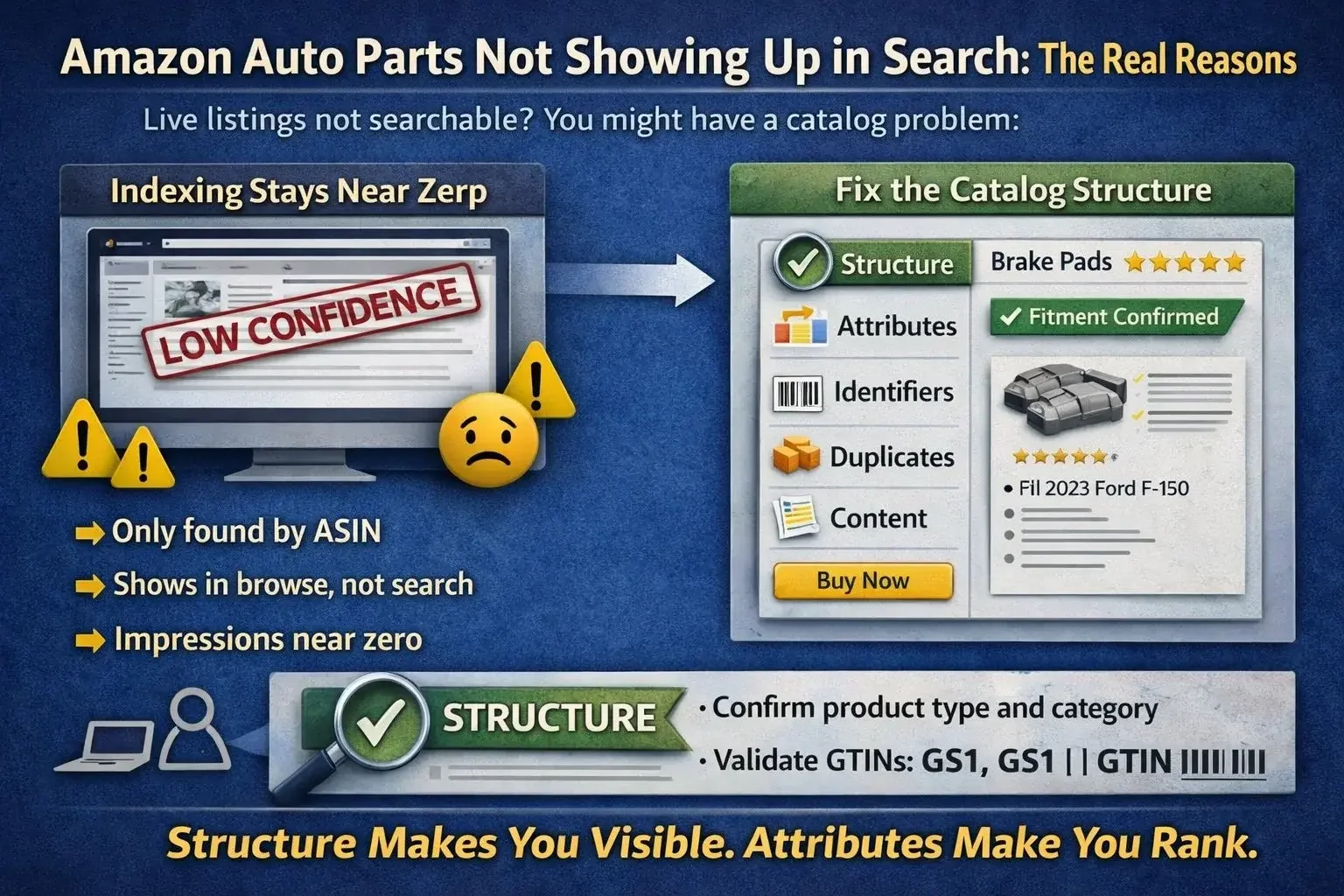
Not Showing Up in Search: The Real Reasons
If your Amazon listing is live but invisible, you do not have a marketing problem. You have a data problem.
Most sellers respond by tweaking titles, lowering prices, adding coupons, or turning on ads. Meanwhile the real issue is usually structural. Amazon cannot confidently classify your product, so it limits search visibility.
I spent years owning marketplace performance in a high-volume auto parts business. When an ASIN did not show up in search, it was almost never random. It was almost always one of these: wrong product type, wrong category placement, missing required attributes, identifier conflicts, or duplication across ASINs.
Amazon rewards high confidence catalog objects. If the structure is broken, the algorithm will not just rank you lower. It can stop indexing you entirely.
What “not showing up in search” actually means
Most of the time, one of these is happening:
Only searchable by ASIN or exact full title
Shows sometimes, disappears later
Shows in browse, not in keyword search
Impressions near zero even though status says active
Indexes for brand terms but not for part intent terms
Those patterns almost always point to a backend data issue.
One 2026 reality: AI-assisted search makes structure even more important
Amazon search is increasingly conversational and recommendation-driven. That means missing attributes do not just weaken keyword ranking. They can exclude you from natural language queries and AI-driven recommendations.
Example buyer query:
“Find brake pads that fit a 2022 F-150 and are good for towing.”
If your product type is wrong, fitment signals are incomplete, or key attributes are missing, your part often never enters the candidate set. You cannot advertise your way out of that.
The 9 real reasons your auto parts listing is not indexing
If you want to skim, start here. Find your pain point and go fix it in order.
1. Wrong product type
Symptom: Listing is active but barely searchable, or searchable only by exact terms.
Why it happens: Amazon expects specific attribute sets per product type. Wrong product type means missing required inputs.
Fix: Confirm product type matches the part category, then complete required fields for that product type.
2. Wrong browse node or category placement
Symptom: Appears in the wrong category, indexing is inconsistent, relevance is weak.
Why it happens: Category placement drives which attributes are required and how search interprets the listing.
Fix: Validate category path and browse node. Correct placement, then re-check required attributes.
3. Missing required attributes
Symptom: Active ASIN, near-zero impressions, not indexing for core intent.
Why it happens: Missing required fields reduces confidence. Amazon can treat the ASIN as incomplete.
Fix: Pull category requirements and fill every required attribute. Also fill top recommended attributes that map to intent.
Auto parts note: If your data does not support fitment and vehicle context properly, you can “index” and still sell nothing.
4. MPN and GTIN conflicts
Symptom: Suppressed visibility, unexpected merges, or inconsistent search behavior.
Why it happens: Identifier inconsistency breaks trust. Amazon expects clean alignment between Brand, MPN, and GTIN.
Fix: Standardize MPN representation. Validate GTIN usage. If you use UPCs, ensure they are legitimate and properly assigned. In practice, Amazon is far more reliable with GS1-issued identifiers than with recycled or questionable codes.
5. Duplicate ASIN conflicts for the same part
Symptom: Two or more listings split impressions, none wins.
Why it happens: Same part exists across multiple ASINs due to identifier variation, vendor feeds, or legacy imports.
Fix: Search duplicates using Brand plus MPN. Consolidate where possible. At minimum, align content and identifiers so one primary object wins.
6. Variation misuse
Symptom: Parent-child structure blocks indexing or creates attribute conflicts.
Why it happens: Variations are often used to group parts that should not be grouped. Auto parts is unforgiving here.
Fix: Use variations only when the product type supports it and the variation theme is valid. Otherwise split into separate ASINs.
7. Titles and bullets do not match search intent
Symptom: Indexes only for broad terms, not for the money keywords.
Why it happens: Copy is not aligned with how buyers search, or the copy says things not supported by attributes.
Fix: Build titles from intent and facts. Part type, brand, key specs, and fitment intent. Make sure key terms are also supported by attributes, not just text.
8. Backend keywords are not helping
Symptom: Seller tries backend keywords as a fix, nothing changes.
Why it happens: Backend keywords do not override missing structure.
Fix: Use backend keywords for synonyms and secondary intent. Do not use them as a substitute for correct product type and attributes.
9. Account level or compliance issues
Symptom: Listing looks fine but visibility is limited across the board.
Why it happens: Automotive has restrictions, brand gating, compliance flags, and policy issues that quietly reduce reach.
Fix: Check for restrictions and compliance notifications. Resolve these first before chasing data fixes.
The fitment reality that kills conversion even when you index
In auto parts, indexing is only step one.
If Amazon’s fitment experience does not recognize your part as compatible, buyers will not trust it. You can end up with impressions and zero real conversion.
This is where catalog discipline matters:
your product attributes must support the part’s identity
your fitment data must support compatibility signals
your listing must reduce buyer uncertainty
Fitment is the elephant in the room. Ignoring it is how sellers “rank” and still lose money.
A real example of what this looks like in the wild
I have seen the same part listed multiple times under different identifiers and slightly different structures.
One ASIN had the right title but missing key attributes
Another ASIN had the correct product type but weak content
A third ASIN had the best images but the wrong category
To Amazon, those were not one product. They were three low-confidence objects competing for the same demand.
Once we consolidated the data and made product type, category placement, and required attributes consistent, impressions did not slowly improve. They moved immediately.
That is the part most sellers miss. Indexing is a switch. You are either eligible or you are not.
The sequence that actually works
When a listing was not showing up in search, we followed the same order every time:
Confirm product type and category placement
Fill required attributes, then top recommended attributes
Validate identifiers, especially Brand plus MPN and GTIN
Find duplicates and fragmentation across ASINs
Only then optimize titles, bullets, images, and content
Most sellers start at step five. That is why they waste weeks.
Why this feels harder than it should
Amazon makes it easy to create a listing and hard to create a clean catalog object.
Auto parts is especially unforgiving because small inconsistencies multiply across brand, MPN formatting, variations, fitment language, and category rules.
That is why listings can look fine on the front end while impressions stay near zero. The front end is not the problem. The backend data is.
Final thought
Amazon indexing is not a marketing problem. It is a catalog problem.
Marketplaces reward consistency and confidence. They punish fragmentation. If Amazon cannot confidently classify your product, it will not trust it with traffic.
Fix the structure first. Then optimize the listing.
Want a quick indexing diagnosis
Send me 5 ASINs that are not showing up in search, plus the intended category, brand, and MPN.
I will tell you what is blocking indexing and what to change first. I typically diagnose this using attribute requirement checks, flat-file analysis, identifier validation, duplicate detection, and fitment and compatibility signals.
Contact PartsAdvisory through the Contact page and I will share next steps.