
Written by Arthur Simitian | PartsAdvisory
Introduction
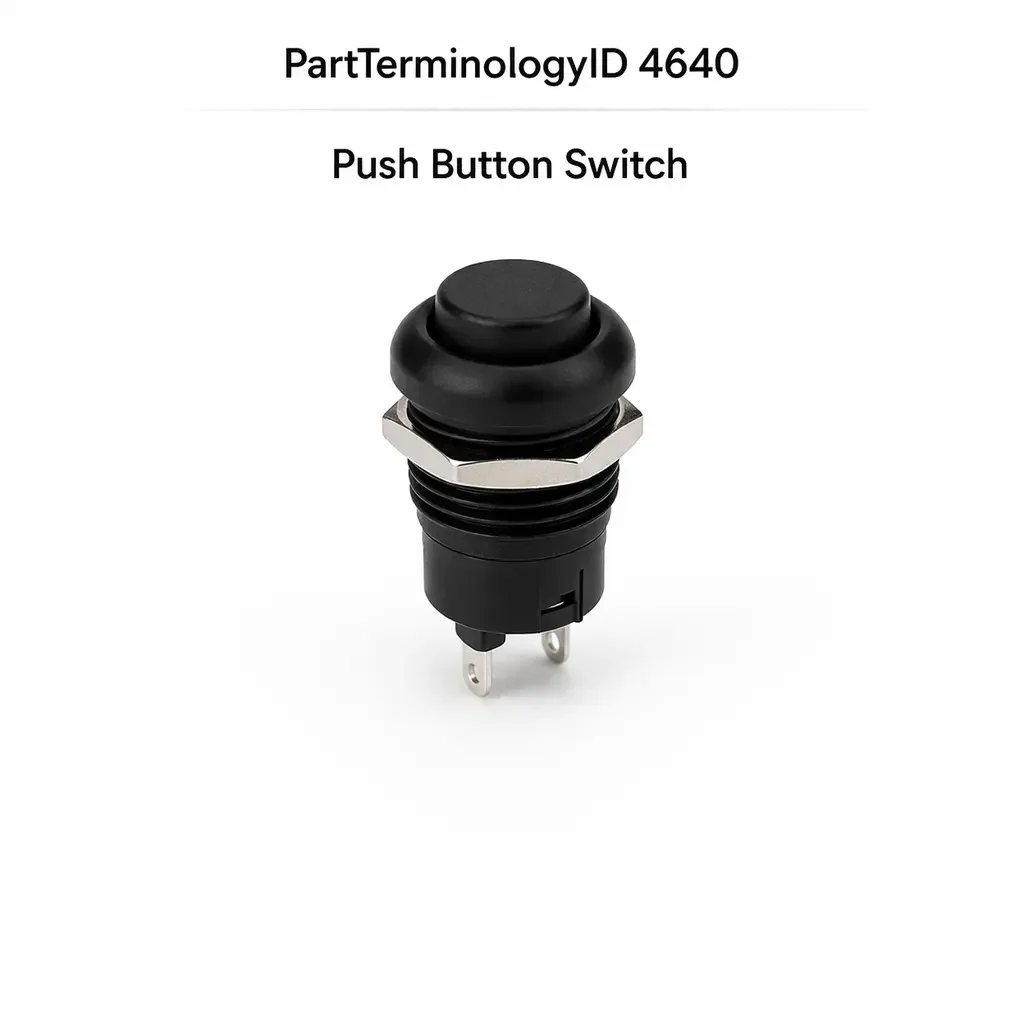
The push button switch is one of the broadest PartTerminologyIDs in the switches category. It covers a single-actuator momentary or latching switch used across a wide range of vehicle functions, from interior lighting controls and accessory activation to traction control defeat, hill descent control, and engine start. The breadth of this category is precisely what makes it a return risk. A push button switch listing that relies on vehicle fitment alone without stating contact configuration, illumination type, and circuit input compatibility will generate returns across every application where more than one switch variant exists on the same platform.
This guide covers what determines correct push button switch selection, the failure modes common to this design type, and the catalog attributes that must be present to prevent returns.
What the Push Button Switch Does
Momentary versus Latching Operation
Push button switches are available in two fundamental operating modes. A momentary switch closes its contact only while the button is held and returns to the open state when released. A latching switch toggles between open and closed states on each press, remaining in the last state until pressed again. These two types are not interchangeable. A momentary switch installed in a latching application will only activate the function while held. A latching switch installed in a momentary application will activate the function on the first press and leave it active until pressed again, which on circuits not designed for latching behavior can damage downstream components or leave a system permanently activated.
The operating mode must be confirmed from the OE specification before a replacement is ordered. Physical appearance does not reliably distinguish momentary from latching designs.
Single Pole versus Multi-Pole Contact Configuration
Push button switches are available with a single pole, single throw contact set or with multiple poles that switch multiple circuits simultaneously with one press. A single pole switch opens or closes one circuit. A multi-pole switch opens or closes two or more circuits simultaneously. Applications that require multiple simultaneous circuit changes, such as activating a function while simultaneously illuminating a status indicator through a separate circuit, require a multi-pole switch. A single pole switch in a multi-pole application will activate only one of the required circuits.
Normally Open versus Normally Closed
A normally open push button switch has no continuity at rest and closes its circuit when pressed. A normally closed switch maintains continuity at rest and opens its circuit when pressed. Normally closed push button switches are used in applications where the default state is active and the button press interrupts the circuit. Installing the wrong type reverses the circuit logic for the connected function.
Illumination Function
Many push button switches include integrated illumination in the form of a backlight for panel visibility, a status indicator that reflects the current state of the connected function, or both. Illuminated switches have additional terminals for the lamp or LED circuit. The illumination circuit may be powered continuously when the ignition is on, or it may be switched by the function the button controls so the indicator reflects the active or inactive state.
A non-illuminated replacement in an illuminated position leaves the switch dark and may generate a fault code on BCM-monitored lamp circuits. A switch with a continuously powered lamp circuit installed in a position requiring a function-switched lamp will leave the indicator always on rather than reflecting the function state.
Design and Construction
Snap-Action Contact Mechanism
Most push button switches use a snap-action contact mechanism that produces a distinct tactile click when the actuation threshold is reached. The snap-action mechanism ensures a rapid, positive contact transition rather than a slow contact closure that would increase contact resistance and arcing. The snap-action feel also provides driver confirmation that the button has been fully pressed.
Panel Mounting and Bezel Design
Push button switches mount in panel cutouts in the instrument panel, center console, overhead console, or door panel. The switch body dimension and bezel design must match the cutout geometry. On platforms where multiple switch functions share a common panel with standardized cutout sizes, a push button switch for one function may physically fit a cutout intended for a different function. Physical fit without electrical compatibility is a common source of incorrect installations.
Connector and Terminal Design
Push button switch connectors range from two-pin for a simple single-pole momentary switch to six or more pins for a switch with multiple contact poles, a separate lamp circuit, and a separate ground. The pin count and terminal spacing must match the vehicle harness connector. On platforms that use a standardized connector body across multiple switch functions, different switches may share the connector body but differ in terminal assignment and circuit function.
Common Failure Modes
Contact Wear
Push button switches used frequently, such as a traction control defeat button or a start button on older keyless entry systems, accumulate contact wear faster than infrequently used buttons. The contacts develop increased resistance or fail to close completely after extended service. Resistance across the contacts can increase gradually, producing a weak signal that the connected module occasionally fails to recognize before the switch fails completely.
Lamp or LED Failure
The illumination element within an illuminated push button switch can fail independently of the contact mechanism. On switches where the lamp serves as a functional indicator, a failed lamp may be the only symptom, with the switch contacts continuing to function correctly. On BCM-monitored lamp circuits a failed lamp generates a DTC even if the switch contact is functional.
Housing Crack and Actuator Damage
Physical impact or heavy-handed operation can crack the button housing or the actuator cap. A cracked actuator may depress the contact plunger at an angle rather than straight on, producing off-axis loading that increases contact resistance and accelerates contact wear. Actuator cap damage is sometimes cosmetic only, but if the cap separates from the plunger body, the contact will not close at all.
Connector Terminal Corrosion
Push button switches in frequently accessed locations such as the center console are subject to liquid spills that can reach the connector terminals. Corroded terminals produce intermittent switch function that is difficult to diagnose because the fault may not be consistently reproducible.
Symptoms of a Failing Push Button Switch
Connected Function Does Not Activate
The most straightforward symptom is a function that does not respond to button press. Before replacing the switch, confirm power and ground at the switch connector and test the switch contacts directly with a multimeter. A switch that shows correct continuity change during actuation is not the fault. A switch that does not change state when pressed has failed.
Function Activates Without Button Press
A latching switch stuck in the closed position or a normally closed switch that has lost its normally open rest state will activate the connected function without any button press. This symptom requires distinguishing a switch fault from a wiring short before replacing the switch.
Illumination Does Not Work but Function Does
A failed lamp or LED within the switch, or a failed lamp circuit terminal connection, produces a dark switch face while the functional contact continues to operate correctly. This may be the only symptom on low-use switches where contact wear has not yet progressed.
Cataloging Attributes: What to Confirm Before Listing
Operating mode: State momentary or latching explicitly. This is the most consequential attribute and the one most commonly absent from generic push button switch listings. A momentary switch in a latching application or vice versa will not perform the intended function.
Contact configuration: State single pole or multi-pole, and normally open or normally closed. A single pole switch in a multi-pole application will activate only part of the required circuit.
Illumination type: State whether the switch includes illumination, the illumination type (backlight only, status indicator, or both), and whether the lamp circuit is continuously powered or function-switched. A continuously powered lamp in a function-switched position will show the indicator active at all times.
Connector pin count and terminal assignment: State the pin count. Push button switches on the same platform with different functions may share a connector body but differ in terminal assignment. Pin count alone is not sufficient on these platforms; terminal assignment must also be confirmed.
Panel cutout dimensions: State the mounting cutout dimensions where multiple switch sizes exist on the same platform.
Common Cataloging Mistakes
The most common mistake is listing push button switches without stating the operating mode. Generic listings that describe a switch as a push button without specifying momentary or latching account for a significant portion of returns in this category, particularly on platforms where both types are used across different functions in the same instrument panel.
The second mistake is omitting illumination type details. A listing that states only whether illumination is present without stating whether the lamp is continuously powered or function-switched will generate returns from buyers whose vehicle uses function-switched illumination and who receive a continuously powered switch that shows the indicator permanently active.
The third mistake is relying on panel cutout fit as a compatibility confirmation. On platforms with standardized cutout sizes across multiple switch positions, physical fit is necessary but not sufficient for correct fitment. Circuit compatibility, operating mode, and contact configuration must all be confirmed independently of the physical fit.
Status in New Databases
PIES/PCdb: PartTerminologyID 4640, Push Button Switch
PIES 8.0 / PCdb 2.0: No change in PartTerminologyID or terminology label
Summary
PartTerminologyID 4640, Push Button Switch, covers the widest functional range of any switch PartTerminologyID in the vehicle interior. The breadth of applications covered by this terminology means that vehicle fitment alone is never sufficient to identify the correct replacement. Operating mode, contact configuration, illumination type, and connector terminal assignment are the attributes that distinguish a correct replacement from one that physically fits but electrically does not. Every listing must state all four explicitly. A push button switch listing without these attributes will generate returns from any application where more than one variant exists, which on most modern platforms is the majority of applications.