
Television (PartTerminologyID 1321): A Simple Product Name Hiding a Mounting, Power, and Expectation Problem
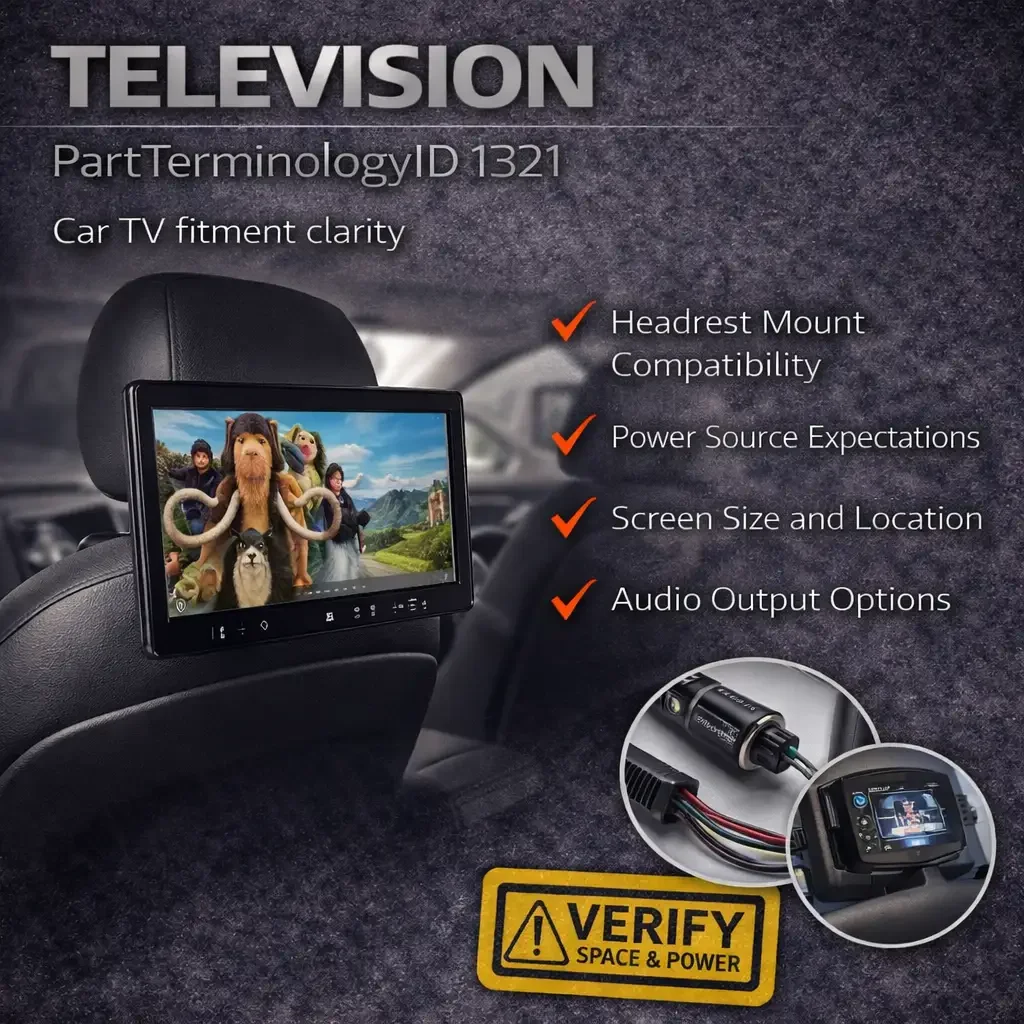
Television is not a traditional fitment category. There are no bolt patterns to match, no year-specific applications, and almost no vehicle-specific engineering. That is exactly why it creates problems.
Because Television products are overwhelmingly universal-fit, sellers treat them as simple accessories. List the screen size, add some features, publish. But the return data tells a different story. Buyers return in-car televisions because the mounting system does not work with their headrest posts, because the power source does not match their expectations, because the screen size blocks the rearview mirror, because the product is a rear seat entertainment monitor and not a dash-mounted TV, or because they expected a factory-integrated system and received a clip-on Android tablet.
PartTerminologyID 1321 covers a wide range of products under one name, and the lack of vehicle-specific fitment does not mean the lack of catalog complexity. It means the complexity shifts from ACES fitment data to PIES attributes, product content, and buyer expectation management.
This post is built for aftermarket catalog teams, marketplace sellers, and buyers who want fewer mistakes and fewer returns.
Status in New Databases
Status in New Databases
Current: PIES 7.2 + PCdb Future: PIES 8.0 + PCdb 2.0 Status: No change
What Television Means in the Aftermarket
Television in the aftermarket refers to any video display screen designed for installation or use inside a vehicle. This is a broad product name that covers very different product types:
Headrest-mounted monitors (clip-on or replacement headrest units with built-in screens)
Overhead flip-down monitors (ceiling-mounted screens, often with built-in DVD players)
Seat-back entertainment systems (screens that mount to the rear of the front seat headrest posts)
Portable Android tablet-style car TVs (standalone units with brackets for headrest mounting)
In-dash video monitors (screen units that replace or supplement the factory head unit)
Sun visor monitors (small screens mounted in the sun visor)
OEM-style rear seat entertainment replacements (vehicle-specific screens for luxury vehicles)
This is where catalogs fail first. Buyers use "car TV" or "car television" to mean many things. Some want a rear-seat screen for kids on road trips. Some want a replacement for a broken factory rear entertainment system. Some want a dash-mounted display for navigation and media. Some want a portable tablet they can move between vehicles. If the listing does not clearly define the product form, mounting method, and intended use, the buyer orders the wrong type.
Why This Category Creates Returns Despite Minimal Fitment
Television is almost entirely a universal-fit category. Most products attach via headrest post brackets, suction cups, or ceiling mounts rather than vehicle-specific bolt patterns. But "universal" does not mean "no compatibility issues." Here is what drives returns.
Headrest post compatibility
The most common mounting method for rear-seat televisions is a bracket that clamps to the headrest posts. These posts vary in diameter, spacing, and shape across vehicles. Most aftermarket brackets accommodate round posts from about 10mm to 16mm in diameter. Some vehicles have flat, oval, or irregularly shaped headrest posts that do not work with standard round-post clamps. Some luxury vehicles have active headrests with integrated mechanisms that prevent bracket installation. The listing claims "fits 98% of vehicles" but the buyer's vehicle is in the other 2%.
Power source and wiring
In-car televisions require power. Most use a 12V cigarette lighter adapter, a hardwired connection to the vehicle's electrical system, or an internal rechargeable battery. Buyers who expect a plug-and-play cigarette lighter setup may receive a unit that requires hardwiring. Buyers who want battery-powered portability may receive a unit with no internal battery. This expectation mismatch drives returns.
Screen size vs. available space
A 15.6 inch headrest monitor may physically fit the bracket but block the rearview mirror visibility, interfere with front seat adjustment, or not fit between the headrest posts and the rear seat passenger's knees. Buyers often choose the largest screen without considering the physical space in their specific vehicle.
OEM rear seat entertainment replacement
Some luxury vehicles (Mercedes, BMW, Audi, Land Rover, etc.) have factory-installed rear seat entertainment systems with proprietary screens, wiring, and integration. Replacing a broken OEM screen with a generic aftermarket unit will not work because the OEM system uses proprietary connectors, software, and vehicle integration. Conversely, a buyer searching for a generic "car TV" may find an OEM replacement listing and order it for the wrong vehicle.
Audio output expectations
Some monitors have built-in speakers. Some require wireless FM transmitter output to play through the car's speakers. Some require wired headphones or Bluetooth headphones. Buyers who expect full-volume sound through the car's audio system may receive a unit with only built-in speakers that are too quiet for road noise, or an FM transmitter that requires tuning the car radio to a specific frequency.
Naming Confusion That Causes Buyer Mistakes
Television vs. Head Unit / Car Stereo Display
An in-dash monitor or car stereo with a screen is not the same as a rear-seat television. Some listings use "car TV" for what is actually a head unit replacement with a touchscreen. Buyers searching for a back-seat entertainment screen may order a dash-mounted head unit.
Television vs. Tablet Holder
Some products are essentially Android tablets with car-mounting hardware. Others are tablet holders (no screen included) designed to mount an iPad or similar device to the headrest. If the listing does not distinguish between a screen-included product and a mount-only product, confusion follows.
Television vs. Backup Camera Monitor
Small in-dash or windshield-mounted monitors designed for backup camera display are sometimes listed under or near Television products. These are completely different use cases.
Television vs. DVD Player
Some headrest televisions include built-in DVD or Blu-ray players. Others are display-only (Android streaming, HDMI input, USB media). Buyers who expect a built-in disc player may receive a streaming-only unit or vice versa.
What Buyers Actually Need to Know
Compatibility Checklist
1) Confirm the product type. Headrest monitor, overhead flip-down, portable tablet-style, in-dash, or OEM replacement. These are different products.
2) Check the mounting method. Headrest post clamp (confirm post diameter and shape), ceiling mount (confirm headliner clearance and mounting hardware), suction cup, or seat-back strap.
3) Confirm headrest post compatibility. Measure the diameter of your headrest posts. Check if they are round, oval, or flat. Confirm the spacing between the two posts. Most universal brackets fit round posts from 10mm to 16mm. If your vehicle has non-standard headrest posts or active headrests, confirm compatibility before ordering.
4) Confirm power source. 12V cigarette lighter, hardwired, internal battery, or USB powered. Match to your intended use and installation preference.
5) Confirm audio output. Built-in speakers, FM transmitter to car speakers, HDMI audio out, Bluetooth, or wired headphone jack. Determine how you want to hear the audio before ordering.
6) Confirm screen size against available space. Measure the distance from the headrest to the rear seat passenger's seating position. A 15.6 inch screen may be too large for compact vehicles.
7) Confirm media capability. Does the unit support streaming apps (Netflix, YouTube, Disney+)? Does it have HDMI input for gaming consoles or Fire TV Stick? Does it have a built-in DVD player? Does it support USB media playback? Match to your intended use.
8) For OEM replacement, confirm exact vehicle fitment. Factory rear entertainment systems are vehicle-specific with proprietary connectors and software. Aftermarket universal units will not replace them without significant modification.
Catalog Checklist for Attributes
Core taxonomy: Product form (headrest monitor, overhead, portable, in-dash, OEM replacement). Mounting method. Screen size. Media capabilities.
Physical specs: Screen size (diagonal inches), resolution, touchscreen yes or no, weight, dimensions (critical for space planning).
Mounting: Mount type, compatible headrest post diameter range, bracket material, tool-free installation yes or no.
Power: Power source type, cable length, internal battery yes or no, battery life if applicable.
Audio: Built-in speakers yes or no, FM transmitter yes or no, Bluetooth yes or no, headphone jack yes or no, HDMI audio out yes or no.
Media: Android OS version, RAM and storage, app store access, HDMI input yes or no, USB input yes or no, SD card slot yes or no, DVD/Blu-ray player yes or no, wireless phone mirroring (AirPlay/Miracast) yes or no.
Package contents: Screen quantity (single or pair), mounting bracket, power cable, remote control, headphones, HDMI cable.
Images: Product on headrest in vehicle, screen active with content, rear view showing bracket, all included accessories, dimensional callout.
FAQ
Do car televisions require professional installation?
Most headrest and seat-back mounted units are designed for DIY installation with no tools. Overhead flip-down units and hardwired installations may require professional help.
Will a universal headrest monitor fit my car?
Most universal monitors fit vehicles with standard round headrest posts between 10mm and 16mm in diameter. Vehicles with flat, oval, or active headrests may not be compatible.
Can I stream Netflix on a car TV?
Many Android-based car TVs support streaming apps through WiFi (phone hotspot). Confirm the unit has app store access and sufficient RAM for smooth streaming before ordering.
Is a car TV the same as a replacement head unit?
No. A car TV (PartTerminologyID 1321) is typically a rear-seat entertainment screen. A head unit is the main dash-mounted stereo and media system. These are different products.
Final Take for Aftermarket Teams
Television (PartTerminologyID 1321) is a universal-fit category where returns are driven not by bolt pattern mismatches but by mounting compatibility, power and audio expectation mismatches, screen size miscalculations, and product type confusion. The catalog discipline required is different from vehicle-specific parts but no less important. Define the product form clearly, publish mounting compatibility details, specify power and audio output, and separate OEM replacement from universal aftermarket at the category level. That approach prevents most of the avoidable returns in this category.