
Fix the Small Set of Data Issues That Cause Most Returns
Most aftermarket teams don’t have a “catalog problem.”
They have a small number of repeat data failures that create most of the returns, customer complaints, and marketplace issues.
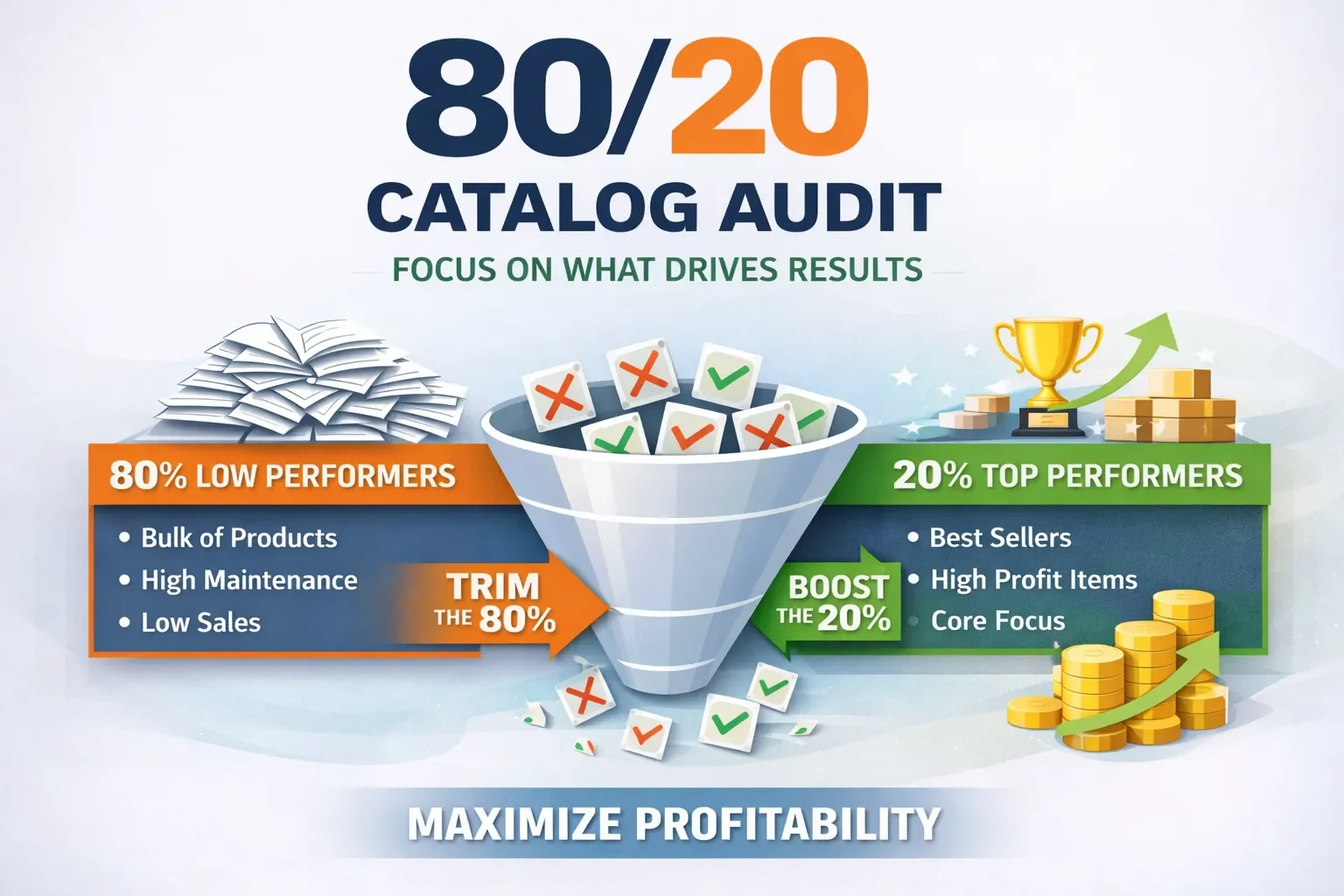
That’s why the fastest path to better performance isn’t a full rebuild - it’s an 80/20 catalog audit:
Find the 20% of SKUs / fitments / attributes causing 80% of the pain, fix them with repeatable rules, and scale the improvement.
This post gives you a practical framework you can run internally - in days, not months.
Why fitment errors are so expensive
A “doesn’t fit” return doesn’t just cost shipping.
It also costs:
lost margin (and sometimes the product)
customer service time
marketplace penalties / defects
lower conversion (because ratings and confidence drop)
operational drag (constant exceptions, manual checks)
The goal of the audit is to stop preventable mistakes at the source - your data.
Step 1: Pick the audit scope (don’t boil the ocean)
Choose one scope that creates fast learning:
Option A (best): Revenue-weighted scope
Audit the top 20% of SKUs by revenue (or by orders).
Option B: Returns-weighted scope
Audit the top 200-500 SKUs by “doesn’t fit” returns.
Option C: Marketplace-risk scope
Audit SKUs with:
frequent listing errors/suppressions
high cancellation rate
high pre-sale questions
Rule: If you can’t finish the first pass in a week, your scope is too big.
Step 2: Pull the “signals” that reveal what’s broken
You don’t need perfect reporting. You need directional truth.
Pull these for your audit SKUs:
Orders, units sold
Return rate and return reasons (especially “doesn’t fit”)
Top customer questions (fitment-related)
Marketplace listing errors / mapping failures
Cancellations and “not as described” feedback (often content/attribute issues)
This tells you whether the pain is fitment, content, images, variation logic, or operational rules.
Step 3: Audit the catalog in 5 layers (where issues actually hide)
Layer 1 - Part Identity (the “spine”)
Common problems:
duplicate part numbers across brands
inconsistent brand naming
multiple SKUs representing the same product
missing/incorrect UPCs
wrong product type / terminology
Fix outcome: one stable identifier + consistent brand/part rules.
Layer 2 - Fitment Specificity (ACES logic)
This is the biggest “doesn’t fit” driver.
Audit for:
missing configuration (engine / submodel / body / drivetrain, etc.)
missing exclusions (“excluding sport package”, “w/o tow”)
missing notes (critical when multiple options exist)
wrong position logic (Left/Right, Front/Rear, Upper/Lower)
wrong quantity per vehicle (single vs pair vs set)
Fix outcome: fitment is specific enough that a customer can’t easily choose the wrong option.
Layer 3 - Product Content (PIES basics)
Audit for:
titles that don’t clearly call out position, key features, or included items
weak bullet points (no buyer confidence)
missing “in the box” clarity (single vs set)
missing installation constraints (when critical)
Fix outcome: content answers the “will this work?” objections before the customer asks.
Layer 4 - Attributes (filters + mapping fuel)
Audit whether key attributes exist per part type.
Examples:
Mirrors: heated / power / signal / memory / blind spot / fold type
Lights: bulb type / lens color / DOT/SAE / LED vs halogen
Suspension: material / diameter / greaseable / mount type
Fix outcome: customers can filter correctly, marketplaces can map correctly, and substitution risk drops.
Layer 5 - Digital Assets (returns reducer)
Audit for:
only one image (high risk)
images that don’t match the actual variant
missing connector/bracket/detail shots
no label/part-number visibility when helpful
Fix outcome: shoppers see what they’re buying, not what they assume.
Step 4: Score each SKU fast (simple scorecard)
Use a quick 0-2 score per layer:
0 = broken / missing
1 = acceptable but risky
2 = strong
Then add a Priority flag:
High impact = high sales OR high “doesn’t fit”
High risk = multiple options exist OR complex fitment logic
This creates a focused fix list you can actually finish.
Step 5: Turn fixes into repeatable rules (this is where scale happens)
Fixing 200 SKUs manually helps.
Turning the fix into a rule helps forever.
Examples of “rules” that scale:
Position naming standard (Right/Left, Front/Rear, etc.)
Quantity/set policy (“2 required per vehicle” vs “pair included”)
When to require engine/submodel vs when YMM is enough
Part-type attribute templates (required fields by category)
Image checklist by part type
Notes/exclusion format (consistent and searchable)
Step 6: Validate before you publish (prevent reintroducing problems)
Basic validation checks:
fitment conflicts (same SKU mapped to incompatible configs)
missing required attributes by part type
title does not reflect position/set logic
image count below minimum
duplicate items under different IDs
Even a lightweight check like this stops the “we fixed it last month… why is it back?” loop.
Step 7: Measure the impact (what to watch)
Track improvements on the audited SKU set:
Conversion rate
“Doesn’t fit” return rate
Pre-sale questions per order
Marketplace listing errors/suppressions
Cancellations
If you don’t measure it, you won’t be able to prove the audit paid for itself - and it usually does.
A simple 30-day execution plan
Week 1: Select scope + pull signals + define scorecard
Week 2: Audit + identify top 20 root causes
Week 3: Fix highest impact SKUs + create templates/rules
Week 4: Validate + publish + measure + expand scope
Want this done faster (and cleaner)?
At PartsAdvisory, we help teams run focused audits that tie directly to conversion, returns, and marketplace health, then convert fixes into rules that scale across millions of SKUs.
If you want, tell me your top channel focus (eBay / Amazon / Walmart / your site) and your top part types (mirrors, lights, etc.), and I’ll tailor this blog to match your real-world examples.